

How to Enable Passkeys for Your Discord Account#
Enabling a passkey for your Discord account can provide an additional layer of security. Here are step-by-step instructions on how to do it.
Download Passkeys App
Before you can set up a passkey for your Discord account, you'll need to download the Passkeys App from the Apple App Store on your phone. You can also click the button below to download it Download on the App Store.


Open Your Discord Account Settings
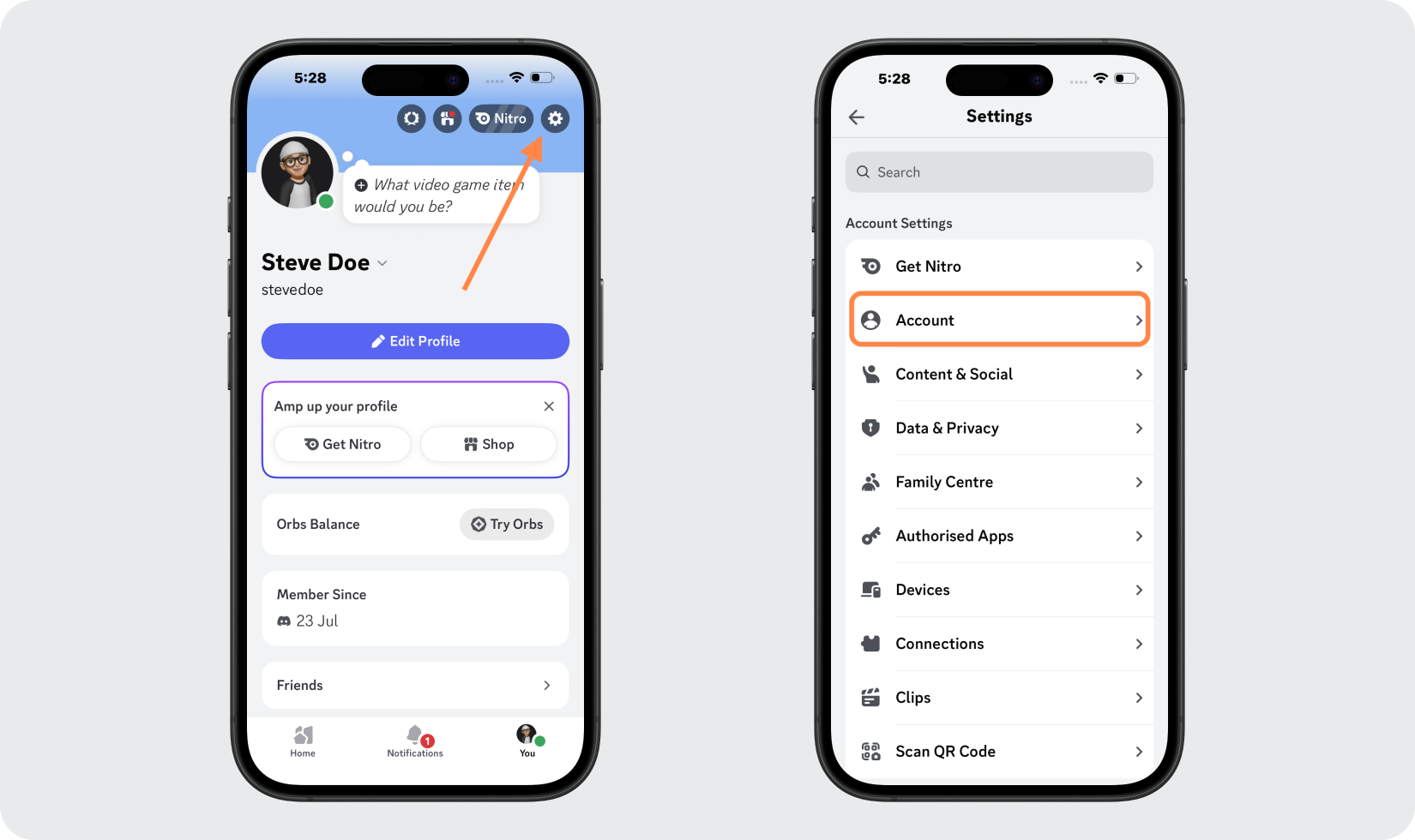
Open the Discord app and go to your profile. Tap the settings icon in the top corner, then select Account.
Open Your Discord Passkey Settings
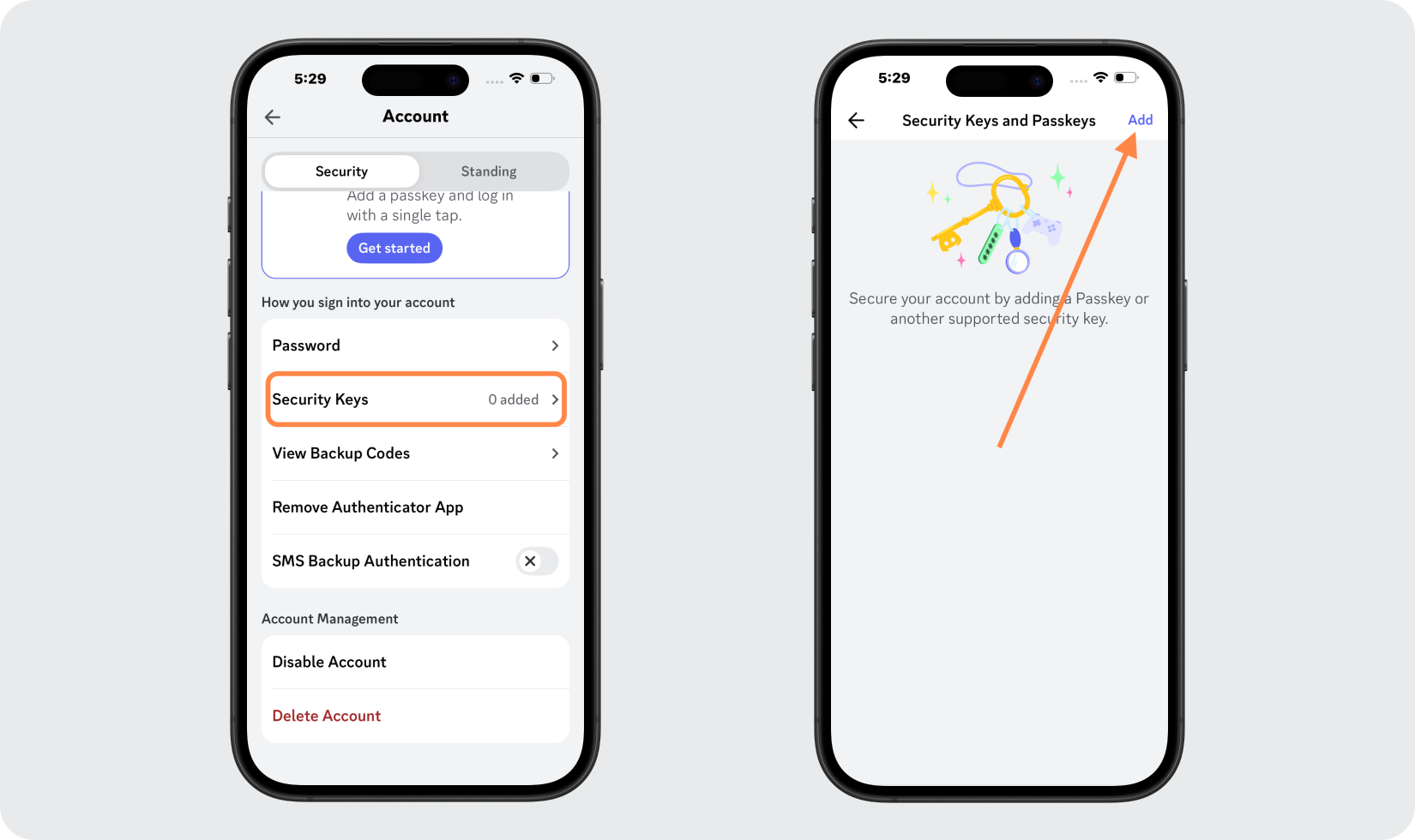
In the Security tab, under How you sign into your account, tap Secret Keys. On the next screen, tap Add in the top corner.
Verify & Create Your Passkey
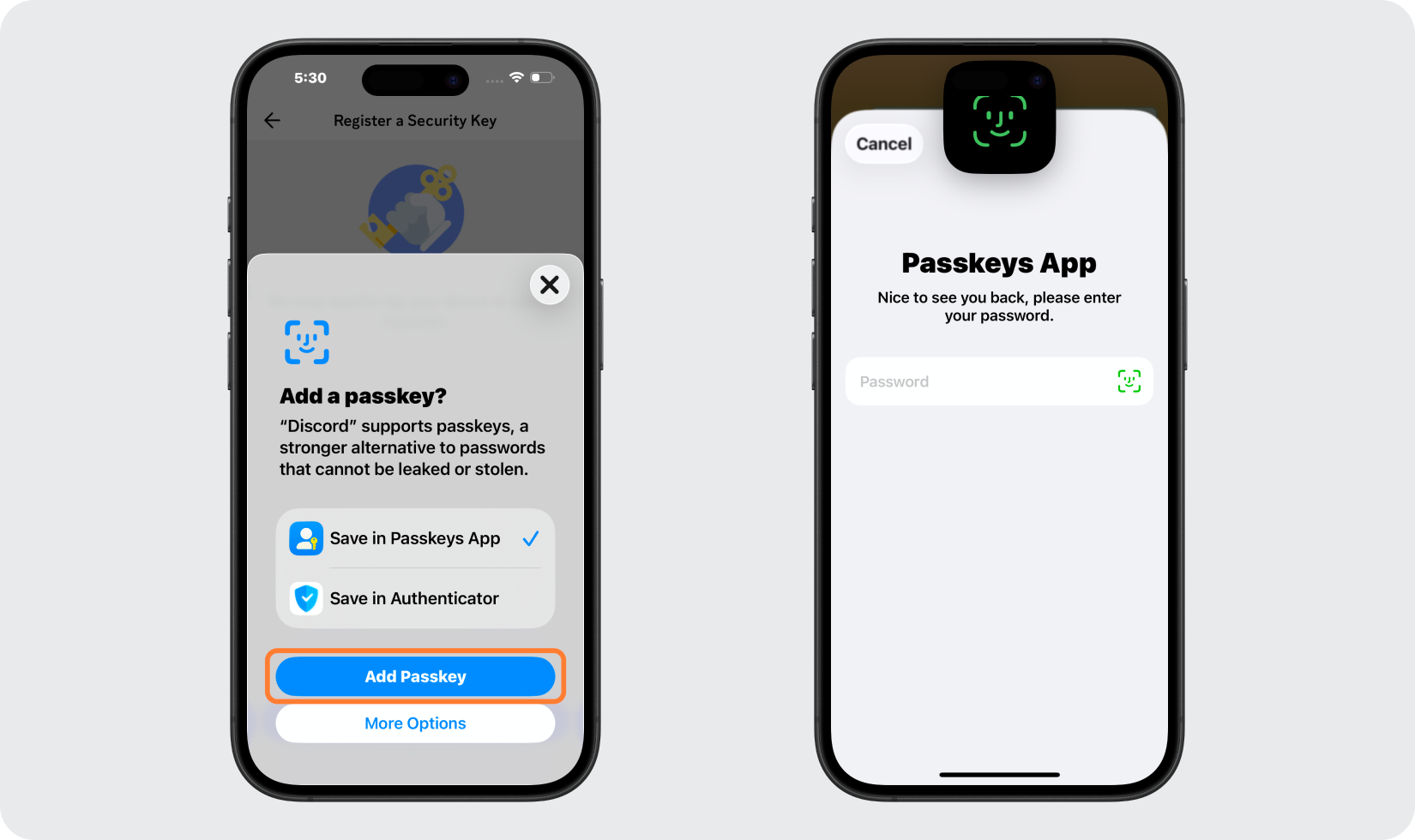
Tap Add Passkey. The Passkeys App will launch. Verify your identity using your Passkeys App password, Face ID, or Touch ID.
Name Your Passkey & Save Your Backup Codes
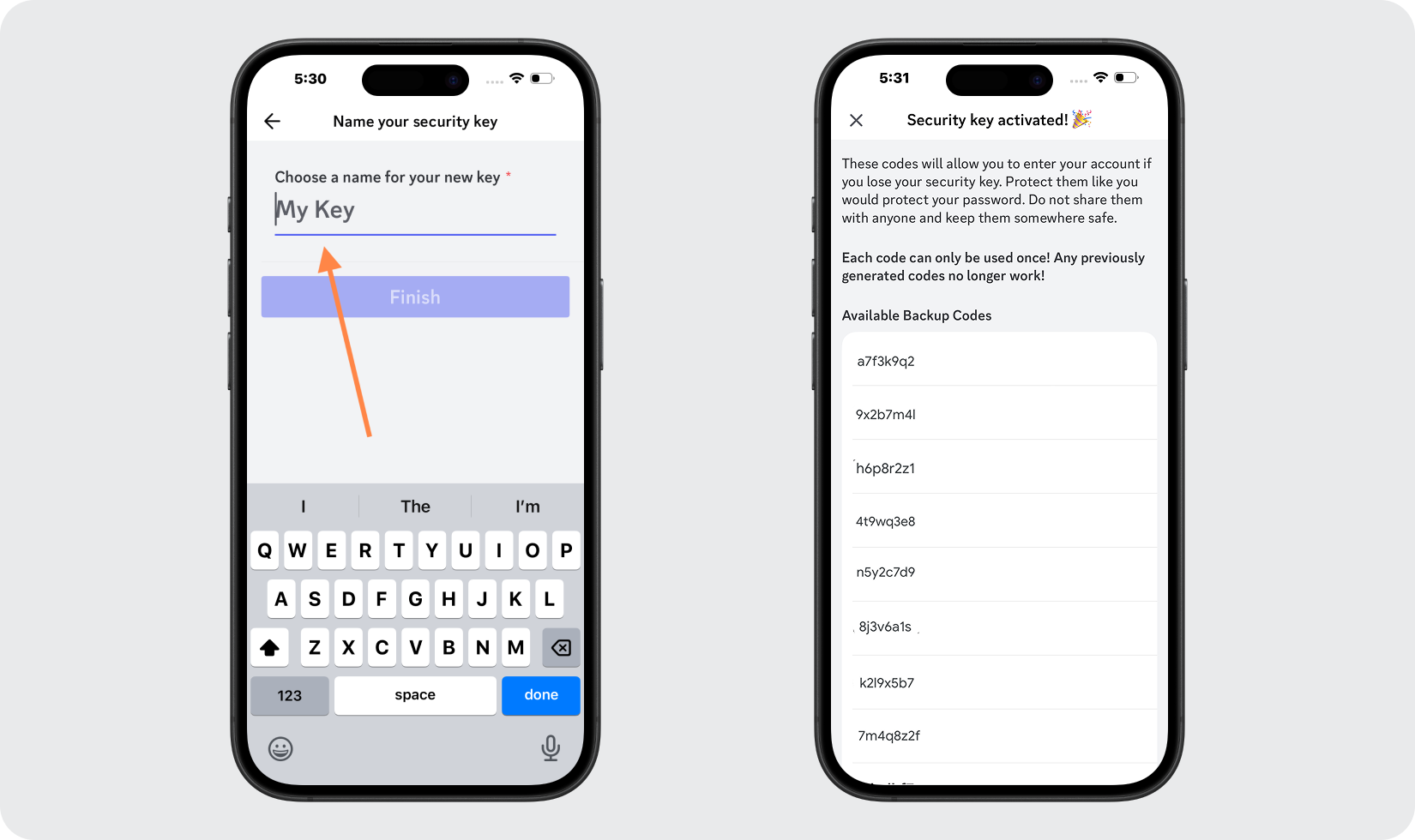
Enter a name for your new passkey, then tap Finish to complete the setup. Backup codes will be displayed. Copy and paste them into a secure place or take a screenshot and store it safely. Tap the X in the top corner to exit.
Confirm Your Passkey
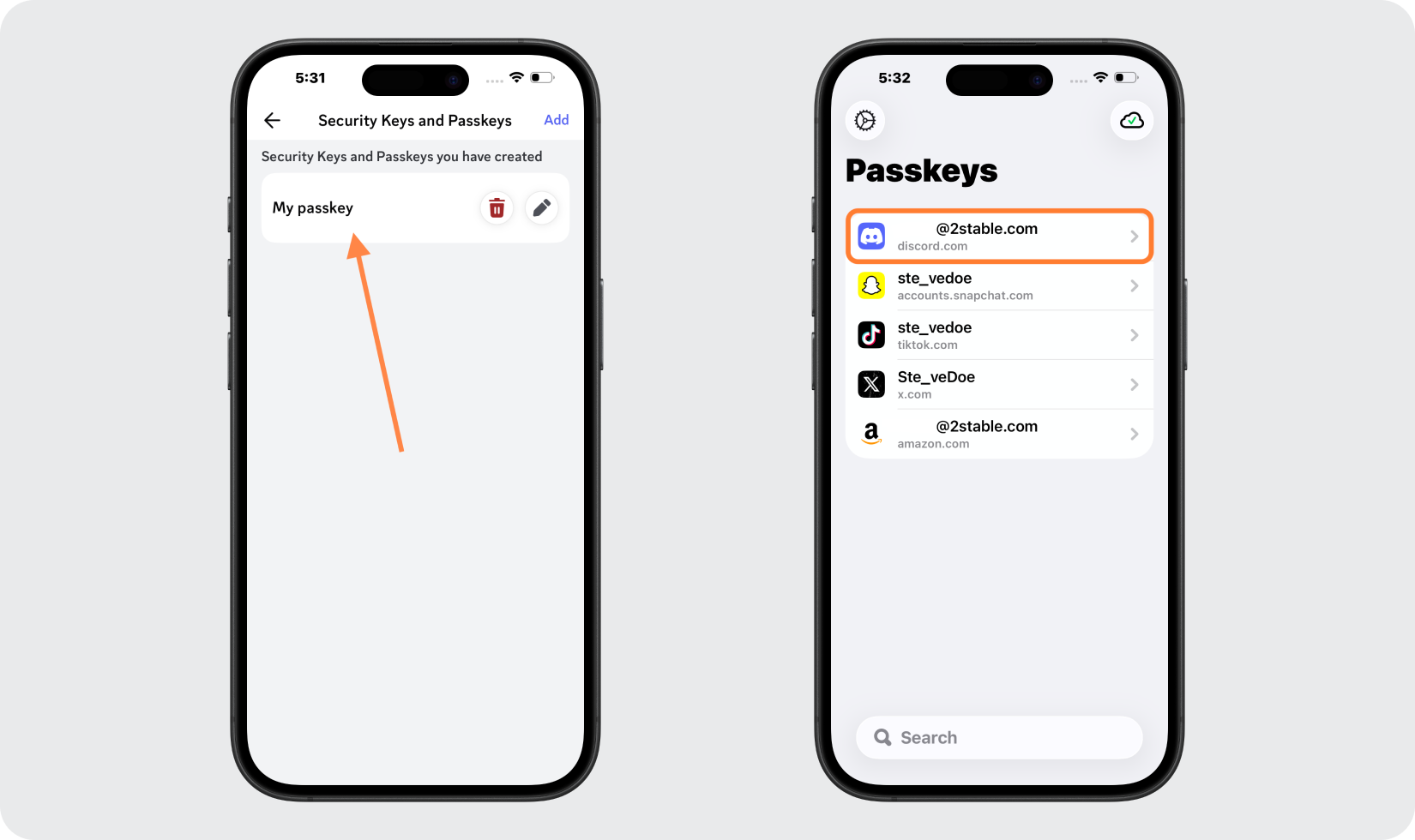
Once complete, your passkey will appear in the Discord app. Your Discord passkey will also be listed inside the Passkeys App.
Done!
Congratulations! You have successfully set up your passkey for your Discord account. From now on, you will need to use the Passkeys App when you would like to log in to your Discord account.
You're all set! To learn more, visit the Discord support page. Stay safe!
The information provided on this page is for educational purposes only and is intended to help users secure their accounts.
2Stable is not affiliated, associated, authorized, endorsed by, or in any way officially connected with Discord, or any of its subsidiaries or affiliates.
All product names, trademarks, and registered trademarks mentioned are the property of their respective owners. Their use here is for identification and reference purposes only and does not imply any association or endorsement.
For any legal inquiries or concerns regarding the content of this page, please contact us.