

How to Enable Passkeys for Your eBay Account#
Enabling a passkey for your eBay account can provide an additional layer of security. Here are step-by-step instructions on how to do it.
Download Passkeys App
Before you can set up a passkey for your eBay account, you'll need to download the Passkeys App from the Apple App Store on your phone. You can also click the button below to download it Download on the App Store.


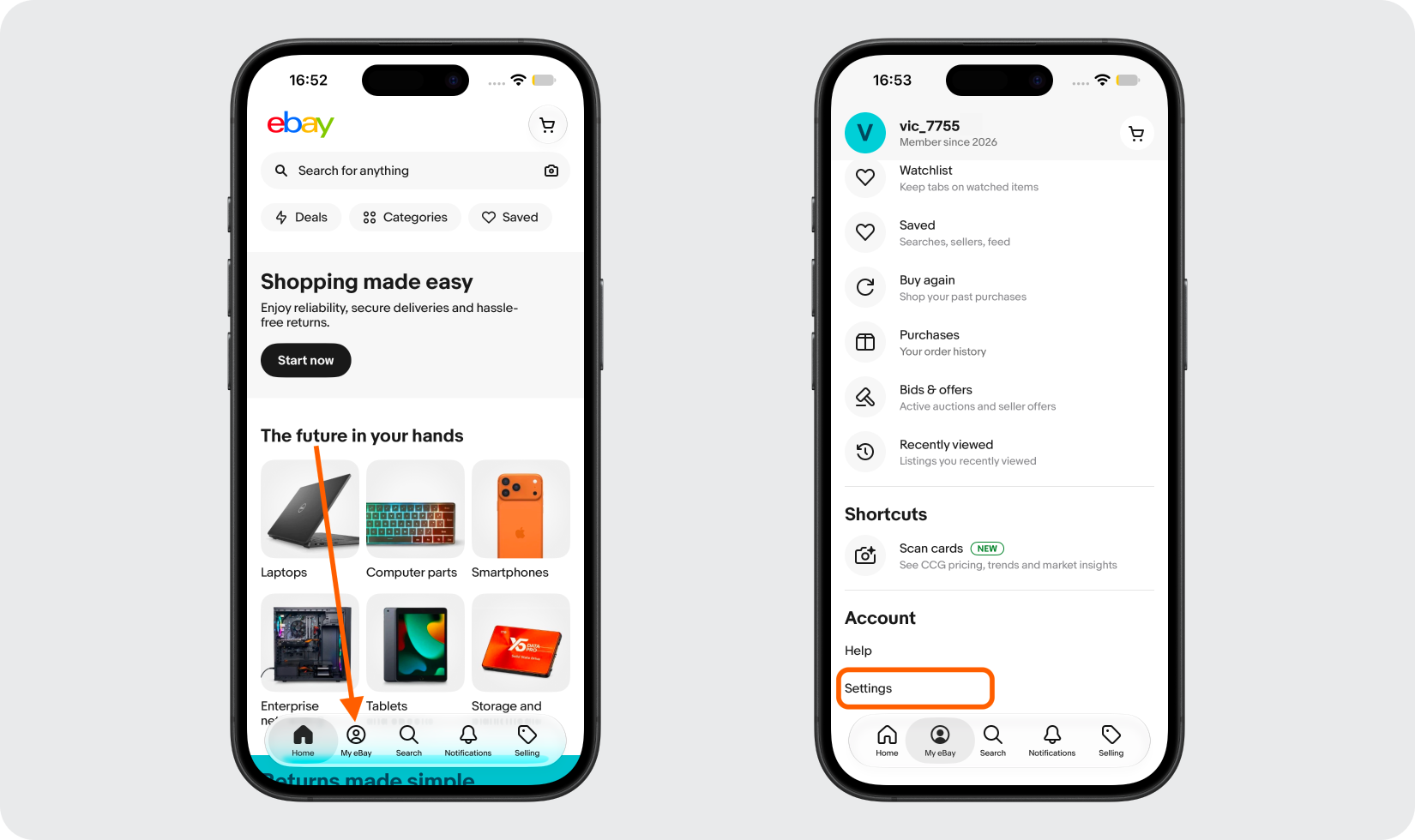
Open Your eBay Account Settings
Open the eBay app on your phone and tap the My eBay profile icon at the bottom of the screen. Scroll down and select Settings.
Open Your eBay Passkey Settings
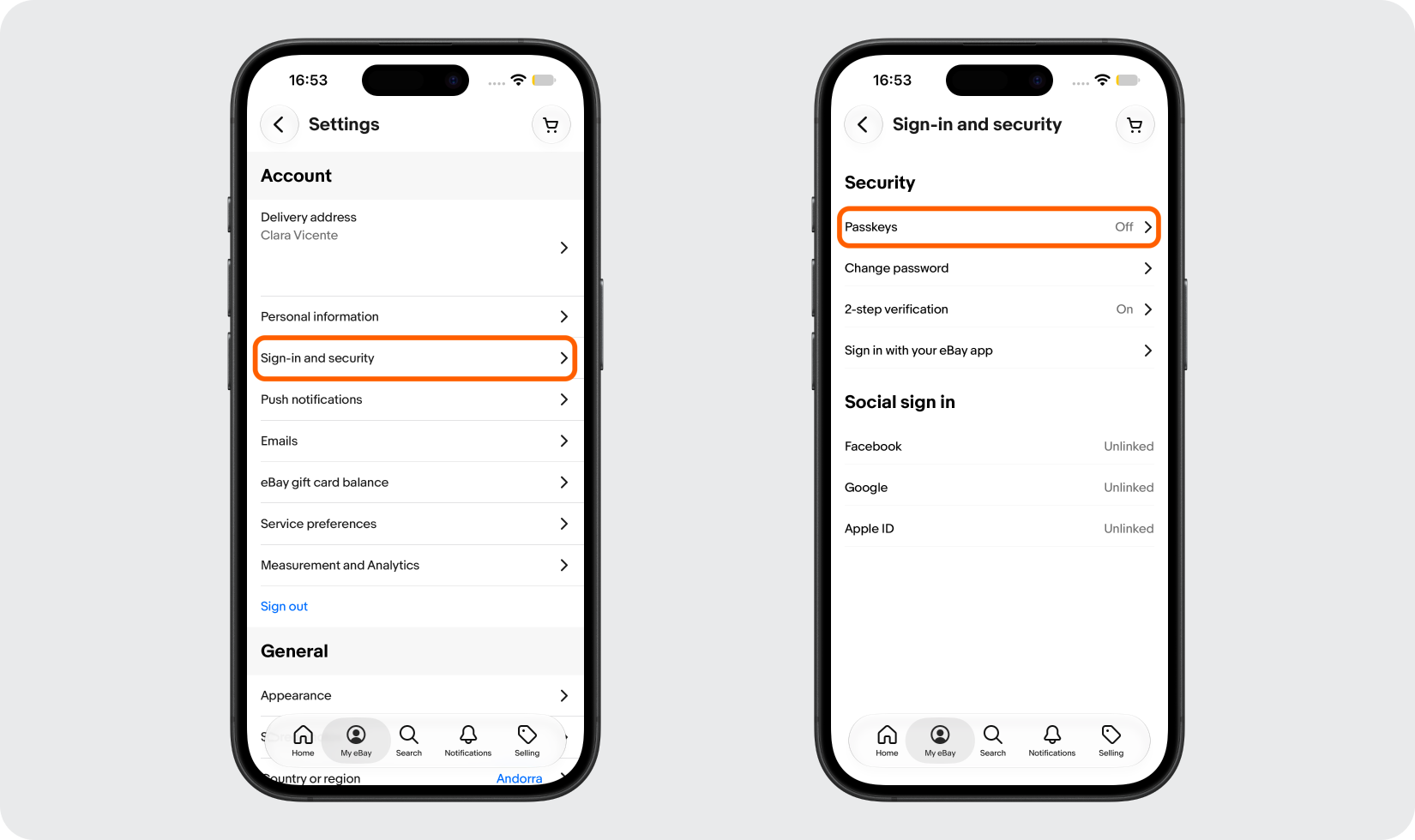
Select Sign-in and security, then tap the Passkey option.
Verify & Create Your Passkey
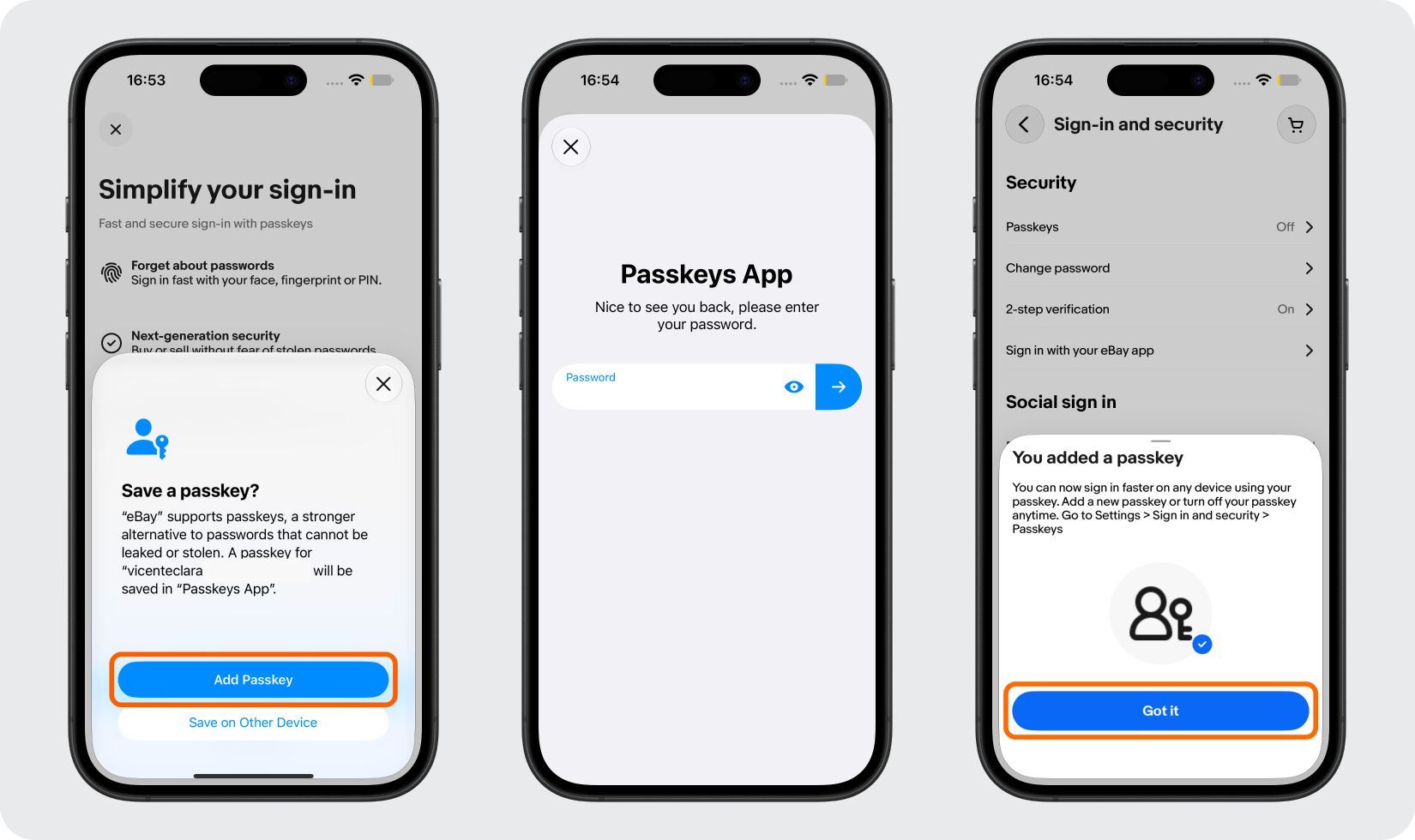
On the next screen, tap Add Passkeys. The Passkeys App will launch. Verify your identity using your Passkeys App password, Face ID, or Touch ID. Then tap Got it to complete the setup.
Confirm Your Passkey
Once complete, the Passkeys section in your eBay account settings will show as On. Your eBay passkey will also be listed inside the Passkeys App.
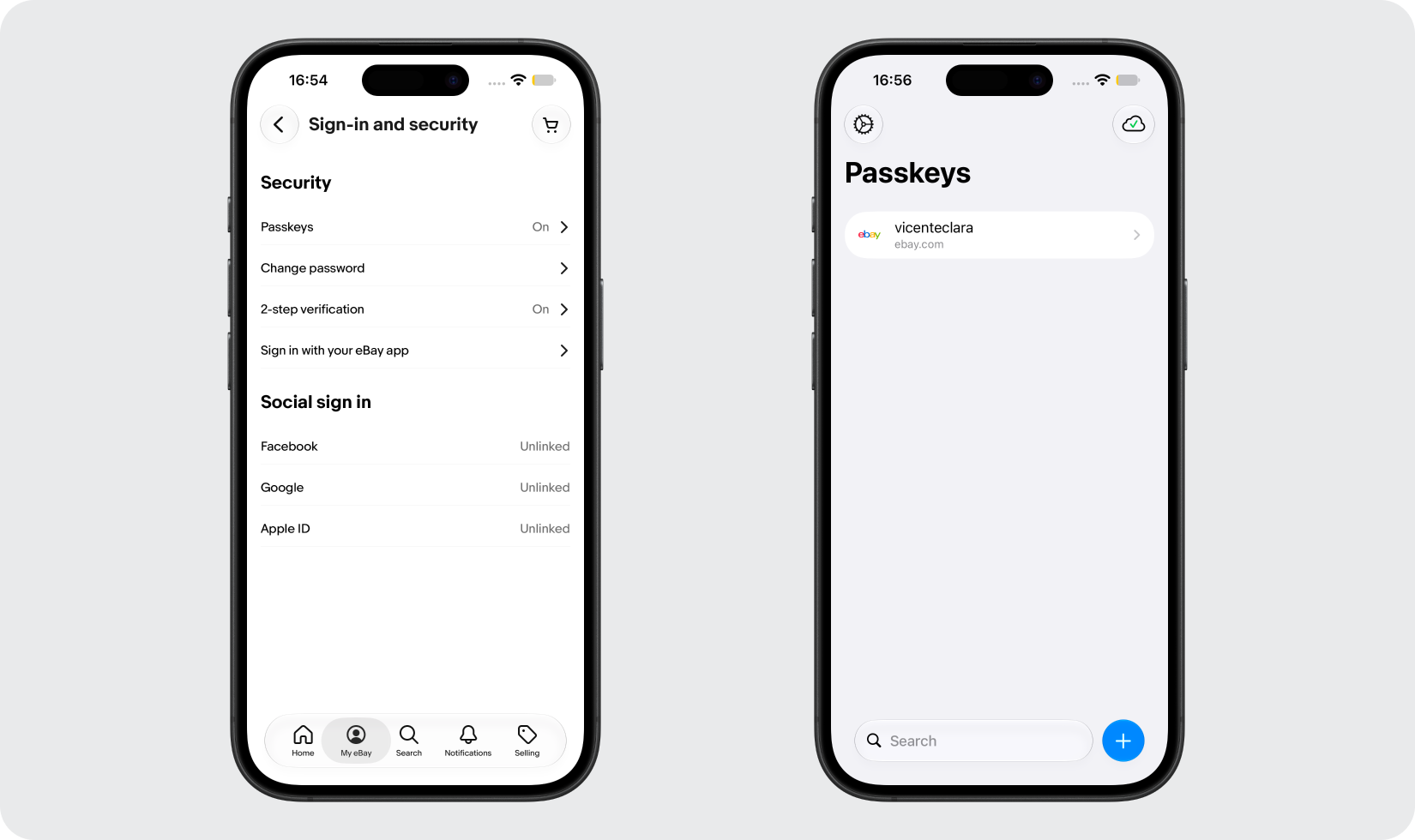
Done!
Congratulations! You have successfully set up your passkey for your eBay account. From now on, you can use the Passkeys App when you would like to log in to your eBay account.
You're all set! To learn more, visit the eBay support page. Stay safe!
The information provided on this page is for educational purposes only and is intended to help users secure their accounts.
2Stable is not affiliated, associated, authorized, endorsed by, or in any way officially connected with eBay, or any of its subsidiaries or affiliates.
All product names, trademarks, and registered trademarks mentioned are the property of their respective owners. Their use here is for identification and reference purposes only and does not imply any association or endorsement.
For any legal inquiries or concerns regarding the content of this page, please contact us.