


How to Enable Passkeys for Shopify Account#
Enabling a passkey for your Shopify account can provide an additional layer of security. Here are step-by-step instructions on how to do it.
Download Passkeys App
Before you can set up a passkey for your Shopify account, you'll need to download the Passkeys App from the Apple App Store on your phone. You can also click the button below to download it Download on the App Store.


Open Your Shopify Account Settings
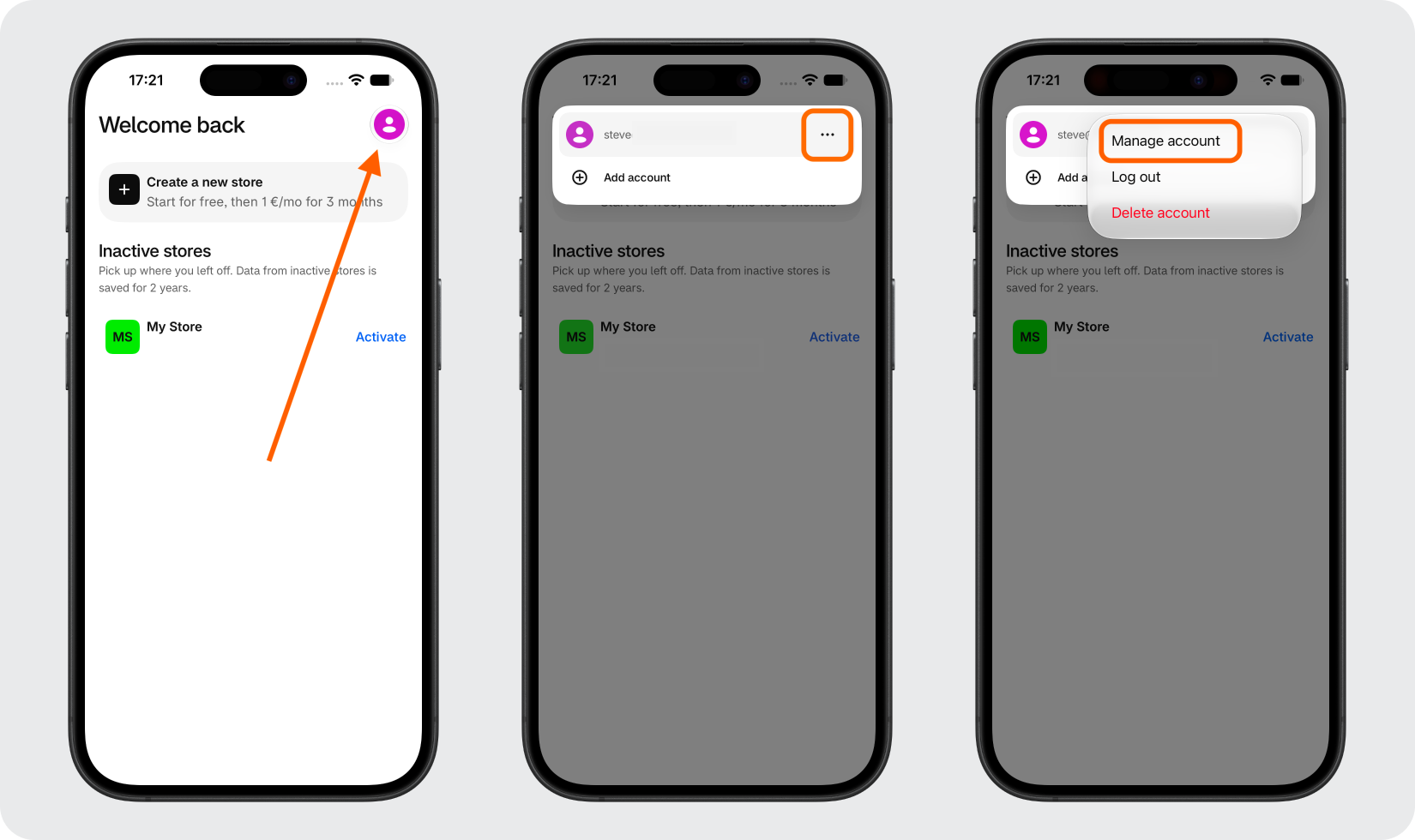
Open the Shopify app on your phone and tap the profile icon in the top right corner. Tap the three-dot menu icon, then select Manage account.
Open Your Shopify Passkey Settings
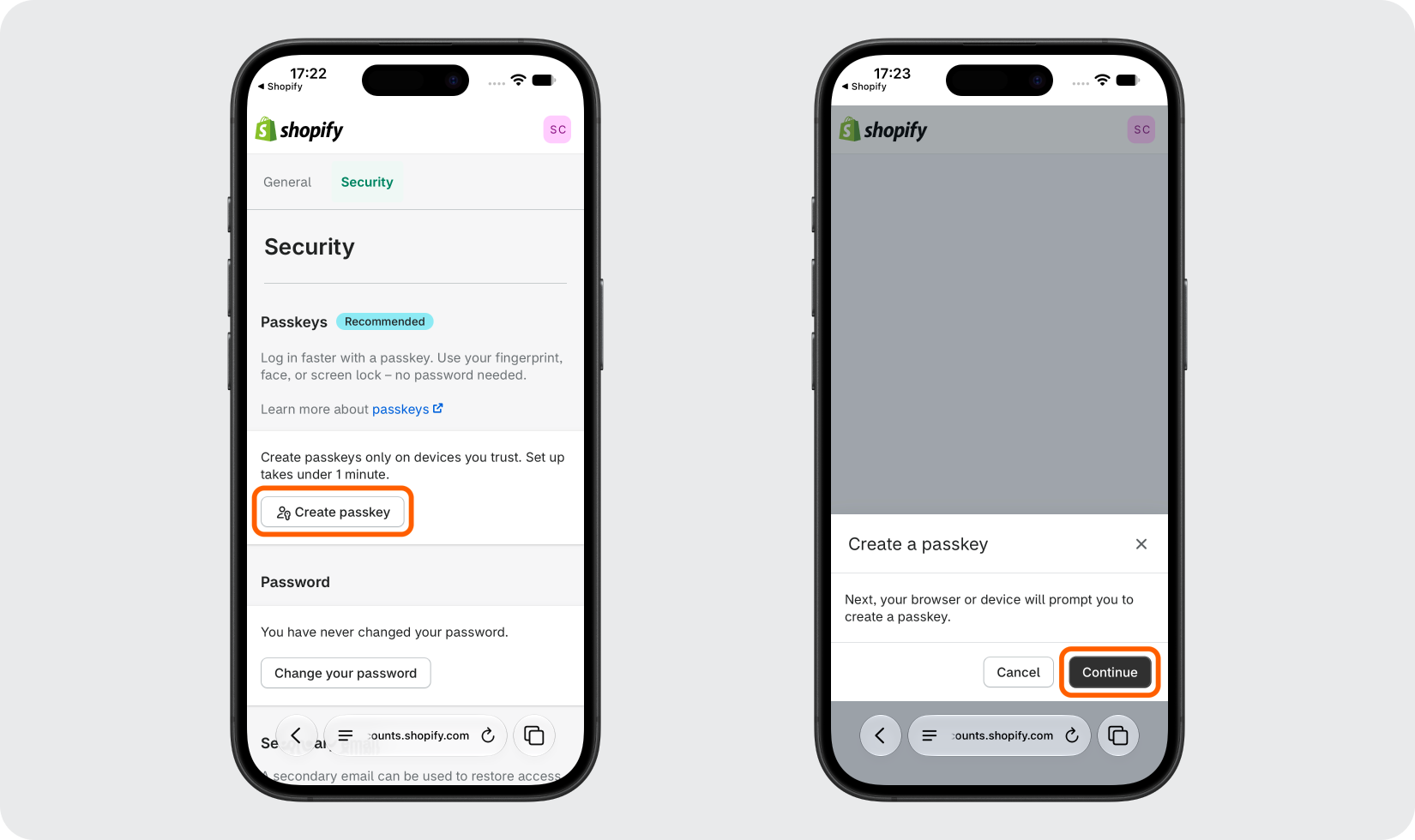
Select the Security tab, then tap Create passkey. In the browser prompt, tap Continue to confirm your selection.
Verify & Create Your Passkey
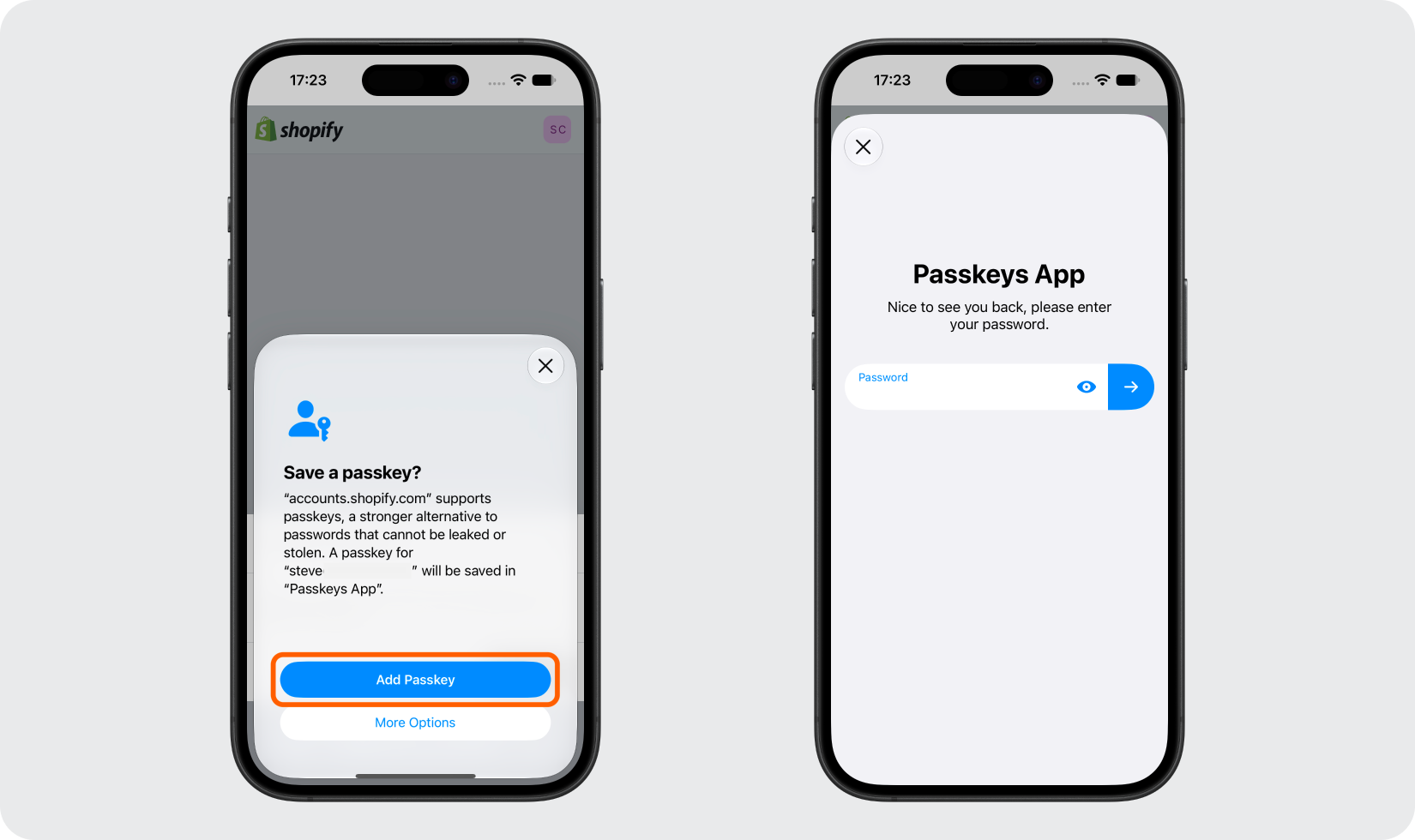
On the next screen, tap Add Passkeys. The Passkeys App will launch. Verify your identity using your Passkeys App password, Face ID, or Touch ID.
Confirm Your Passkey
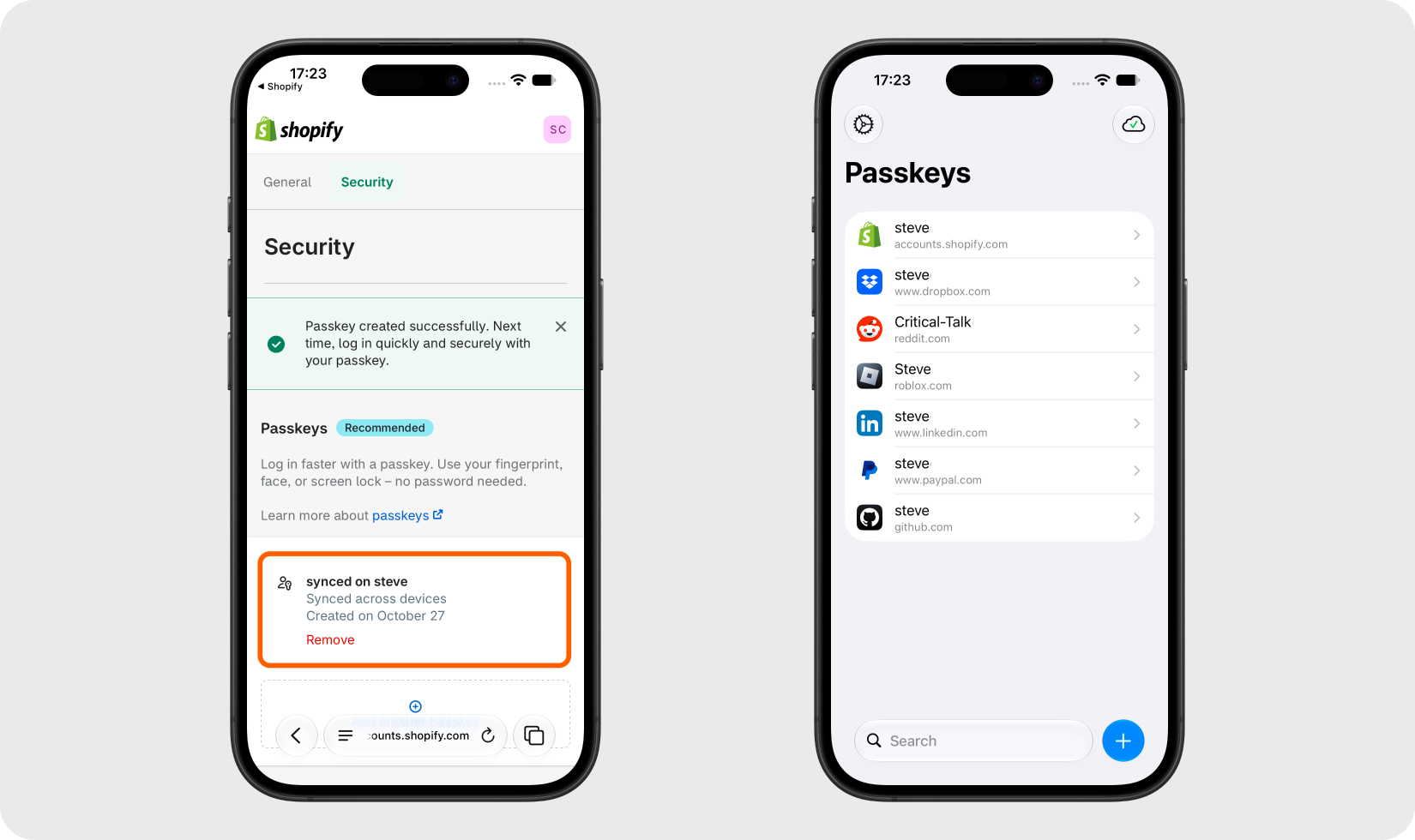
Once complete, your passkey will appear under the Passkeys section in your Shopify account settings. Your Shopify passkey will also be listed inside the Passkeys App.
Done!
Congratulations! You have successfully set up your passkey for your Shopify account. From now on, you can use the Passkeys App when you would like to log in to your Shopify account.
You're all set! To learn more, visit the Shopify support page. Stay safe!
The information provided on this page is for educational purposes only and is intended to help users secure their accounts.
2Stable is not affiliated, associated, authorized, endorsed by, or in any way officially connected with Shopify, or any of its subsidiaries or affiliates.
All product names, trademarks, and registered trademarks mentioned are the property of their respective owners. Their use here is for identification and reference purposes only and does not imply any association or endorsement.
For any legal inquiries or concerns regarding the content of this page, please contact us.